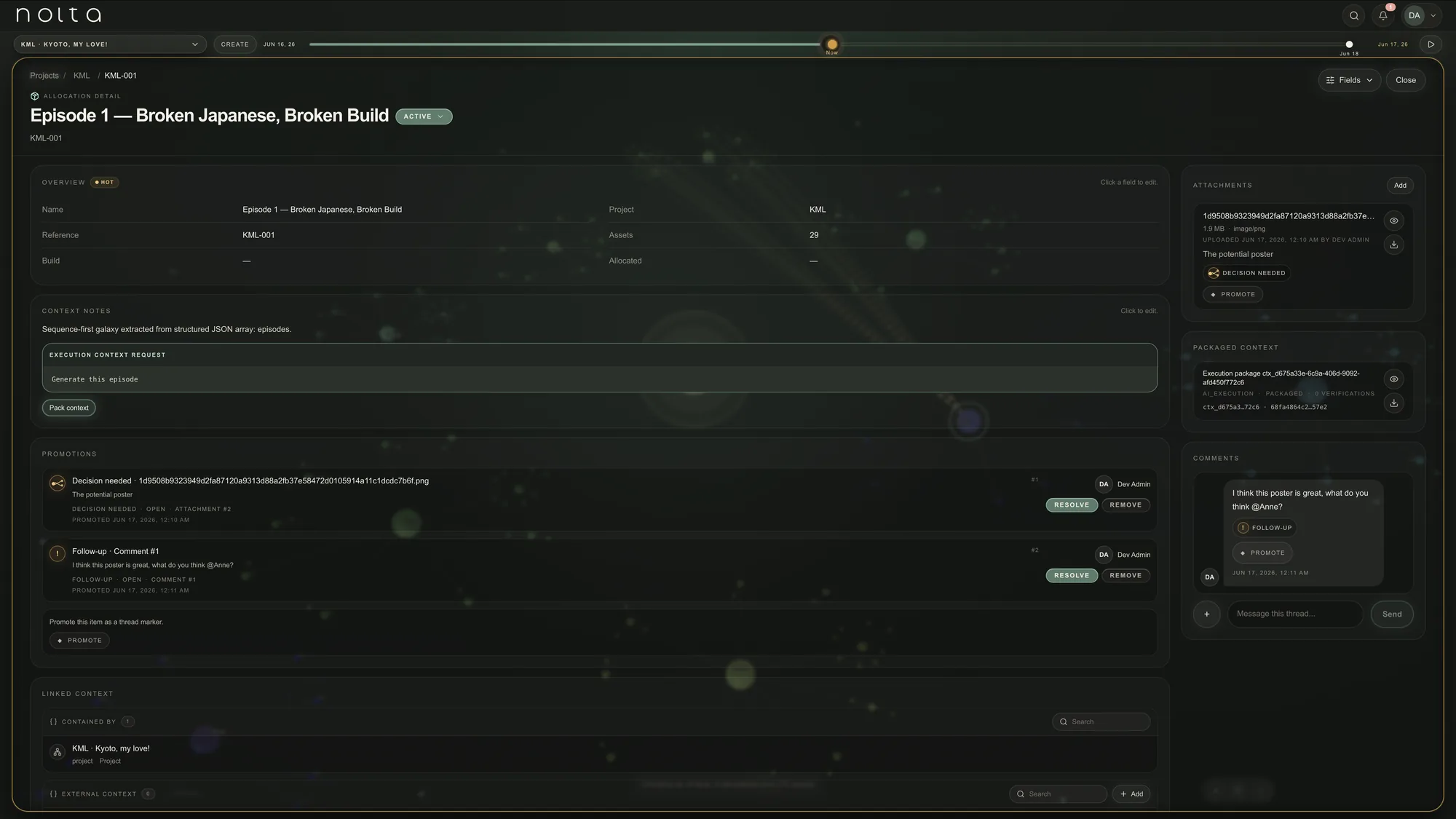
Context
Give AI the right context before it acts.
Nolta turns project knowledge into scoped context that AI tools, agents and software can use before work starts.
Then it keeps the path reviewable: context creation, AI-assisted work, proposal review, context update, evidence and audit trail.
Context out. Work happens. Proposal in. Human review.
The context flow
From universe creation to verified change.
Nolta is not a loose prompt box. It is the layer that helps teams create living context, prepare it for AI, review proposals, approve updates and keep the whole path traceable.
Step 01 · Context Creation
Create a living universe from existing knowledge.
Start from a document, specification, plan, research file, creative brief or structured import. Nicky reads the source and helps turn it into a proposed Nolta universe: Universes, Galaxies, Planets, Satellites, links, gaps and review questions.
A Blueprint guides the interpretation. It defines how this kind of work should be structured, what the major context areas mean, which choices need user confirmation and what should be reviewed before the context becomes trusted.
The result is not automatic truth. It is a proposed universe. The user reviews, edits and approves before Nolta applies it.
- Build from documents, specs, plans or imports
- Nicky asks the right clarification questions
- Blueprints make context creation repeatable
- Human approval before trusted context is created
Step 02 · Context Packaging
Use only the context the work needs.
Instead of throwing every document, note and decision into AI, Nolta helps prepare scoped context for the specific task. The user can decide what is relevant and what should be excluded.
The selected context can be reviewed before work begins and kept available for later explanation.
- Scope context around the task
- Review relevance before work starts
- Keep context available for later review
Step 03 · Execution Orchestration
Let AI work inside clear boundaries.
Nicky can help recommend a suitable way to approach the work. The activity remains bounded by scope, permissions, budget and review expectations.
AI does the work inside those limits. Outputs come back as a proposal instead of becoming scattered chat history.
- Bounded AI-assisted work
- Nicky guidance where useful
- Reviewable proposal output
Step 04 · Proposal Review & Context Update
Review the proposal before it changes the context.
Nolta receives the AI result as a proposal. The user can inspect what was produced, where it would land and what evidence supports it.
The proposal can be approved, rejected, edited or restarted with adjusted parameters. Only approved work can be applied to the existing context.
- Approve, reject, edit or restart
- See where the work will land
- Apply approved changes to context
Step 05 · Verification
Record whether the work actually delivered what was expected.
Approval is not the end of serious work. Users can verify that the applied output matches the intended result, then attach notes, files, test output, reviewer comments or other supporting evidence.
That verification becomes part of the record, so the outcome is not just accepted. It is documented.
- Verify the applied result
- Attach evidence and documentation
- Keep verification linked to the work
Step 06 · Governance
Keep the whole AI workflow auditable from end to end.
Nolta keeps the path visible: original context, proposal, review decision, approved update and later evidence where relevant.
The result is a reviewable AI workflow where teams can understand not only what changed, but why it changed, who approved it and what evidence supported it.
- Keep the review trail
- Review context and cost decisions
- Preserve the timeline of approved change